
Turn on remote features and Sleep mode on your Xbox, then open xbox.com/remoteplay in a browser on your phone or tablet, or the Xbox app on a Windows PC, signed in to the same account. Your Xbox then streams GTA 6 to that screen while the game runs on the console at home. You need an Xbox Wireless Controller, because Microsoft says touch controls don’t work for remote play.
What remote play is, and what it isn’t
Remote play sends the picture from your own Xbox to another device and sends your controller input back. GTA 6 still runs on the console, so it has to be installed there and the Xbox has to be in Sleep mode or switched on.
- It is not cloud gaming. Xbox Cloud Gaming streams games from Microsoft’s servers and comes with Xbox Game Pass; more on that below.
- It doesn’t put GTA 6 on a phone or PC. Not announced GTA 6 is only announced for PS5 and Xbox Series X|S; see is GTA 6 on PC? and GTA 6 platforms and requirements.
- Not announced Neither Rockstar nor the Xbox Store listing mentions remote play for GTA 6. Microsoft’s remote play pages name backward compatible games as not supported; GTA 6 is a native Xbox Series X|S game. Analysis We expect it to work like other Series X|S games and will confirm once it is out.
This guide covers Xbox only. On PlayStation, see how to play GTA 6 with PS Remote Play.
Step 1: set up the Xbox
- Press the Xbox button, then go to Profile & system > Settings > Devices & connections > Remote features.
- Tick Enable remote features.
- Under Power options, select Sleep.
Confirmed Microsoft says remote play won’t work if the console isn’t set to Sleep. Sleep is also the mode that keeps the GTA 6 preload and updates downloading overnight, so our launch day setup may already have you covered.
Step 2: connect from your device
Phone or tablet
- Open a supported browser and go to xbox.com/remoteplay.
- Sign in with the account you use on the Xbox.
- Select your console, then Remote play on this device.
Microsoft lists these minimums for remote play in a browser:
| Device | Operating system | Browser |
|---|---|---|
| iPhone | iOS 14.4 or later | Safari 14 or later, Chrome 85 or later |
| iPad | iPadOS 14.4 or later | Safari 14 or later, Chrome 85 or later |
| Android | Android 12 or later | Edge, Chrome 85 or later |
| Mac | macOS 14.1.2 or later | Safari 16 or later, Edge, Chrome 85 or later |
| Windows PC | Windows 10 20H2 or later | Edge, Chrome 85 or later |
Windows PC
Open the Xbox app, select your profile picture, then View profile. Under Where I play, select Add a console and follow the steps. You can also use xbox.com/remoteplay in Edge or Chrome.
Controllers
Confirmed Microsoft recommends an Xbox Wireless Controller connected by Bluetooth or USB cable. It says:
- Mouse and keyboard and touch controls aren’t supported for remote play.
- Wired controllers may or may not work, depending on your device.
- The Xbox Elite Wireless Controller Series 2 doesn’t work with iOS.
- Your device needs Bluetooth 4.0 or later.
For pairing and button settings, see our Xbox controller settings for GTA 6.
Connection speed
Confirmed Microsoft lists 7 to 10 Mbps, on 5GHz Wi-Fi where possible. 2.4GHz works but isn’t recommended. Mobile data works too, but Microsoft warns that remote play can use a lot of data and that you are responsible for your own data costs.
Microsoft’s tips for a smoother stream:
- Use 5GHz Wi-Fi, and stay on one network while you play.
- Turn off VPNs on your device.
- Use your internet provider’s default DNS, not a custom DNS or DNS based ad blocker.
- Avoid Wi-Fi extenders and casting your phone to another screen, which both add lag.
- Aim for an Open NAT type on the Xbox. Microsoft says a Strict NAT type stops you finishing setup. If your router needs manual port forwarding, it lists UDP port 9002.
Limits Microsoft lists
- One player at a time. Only one remote connection works, and a friend can’t join for local co-op through it.
- Save often. If the stream drops and you can’t reconnect before the console goes back to sleep, you may lose progress.
- No HDR. Remote play doesn’t support HDR. If the picture looks very dark, Microsoft suggests restarting the game from within the stream, or clearing Allow HDR10 under Settings > General > TV & display options > Video modes. Analysis Turn it back on before you play on the TV again; see best TV settings for GTA 6.
- No recording. You can’t record clips or screenshots on the console while streaming remotely. To capture GTA 6, play on the TV; see how to record GTA 6 clips on Xbox.
- Other apps are blocked. Apps such as Edge and video services can’t open on the console during a remote session.
- Purchases on TVs. Microsoft Store and in game purchases are turned off when you use remote play on smart TVs and Amazon Fire TV.
Is GTA 6 on Xbox Cloud Gaming or Game Pass?
Not announced No official source has announced GTA 6 for Xbox Cloud Gaming or Xbox Game Pass. The Xbox Store listing lists its capabilities as single player and Optimized for Xbox Series X|S, with no cloud or Game Pass label.
On October 6, 2026, The Verge reported that Xbox had exclusive streaming rights for GTA 6 at launch. Kotaku and GamesRadar then reported that Xbox chief strategy officer Matthew Ball called this misreporting and said on X that GTA 6 won’t stream exclusively on Xbox or to PC. Not announced Microsoft hasn’t said whether GTA 6 will be on its cloud service on any other device.
What Microsoft does say about cloud gaming in general:
- Confirmed It works with Xbox Game Pass, but PC Game Pass and Game Pass for Console don’t include it.
- Confirmed From November, Game Pass plans move to a set number of cloud hours each month.
- Confirmed It supports one player and one account at a time, and no local multiplayer.
Analysis Until Microsoft or Rockstar says otherwise, remote play from your own Xbox is the only official way to play GTA 6 on a phone or PC.
Common questions
Can I use remote play away from home?
Yes, over Wi-Fi or mobile data, as long as your connection meets Microsoft’s speeds and your Xbox stays in Sleep mode at home with remote features on. Test it at home first.
Can I play GTA 6 on my phone without an Xbox?
Not announced Not at the moment. Remote play needs your own console, and GTA 6 hasn’t been announced for Xbox Cloud Gaming.
Can two people in my house play GTA 6 at the same time?
Not through one Xbox, since only one person can play remotely at a time. To share GTA 6 between two consoles with home Xbox, see how to play GTA 6 on two Xbox consoles.
My console doesn’t show up. What should I check?
Microsoft’s list: sign in with the same account you used on the Xbox, make sure Enable remote features is ticked and the console is set to Sleep, install any console update, then restart both the Xbox and your device.
Related pages
 GTA 6 PC release date
 GTA 6 on PS5 or Xbox: which should you buy?
 GTA 6 single player and online
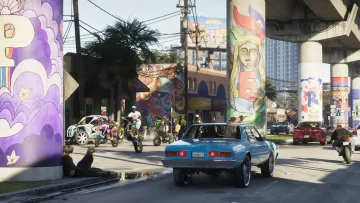 How to stream GTA on Xbox Series X|S